
For the listing agent
Set the showing rules, connect rental calendars, and review requests and feedback in your agent app.
Manage your listings from the Showing Bell app on your iPhone, or in any browser. Share a link for each property, let sellers approve by text, and keep every showing together. Showing Bell automatically asks for feedback.
 Free on the App Store.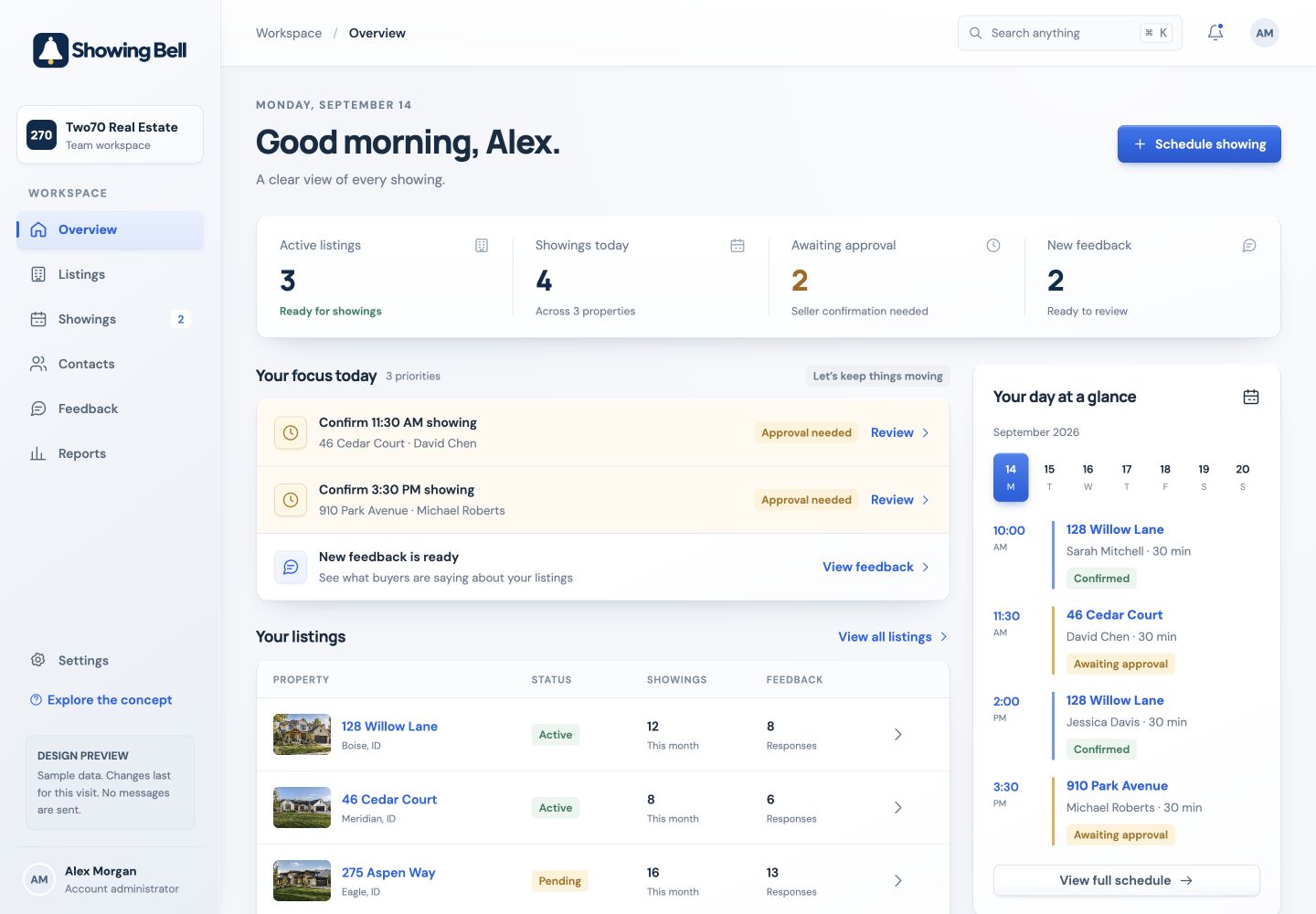
You sign in to manage the listing. Visiting agents request through its link. Your seller responds from a text or email.
Set the showing rules, connect rental calendars, and review requests and feedback in your agent app.
The property link presents available times and collects contact details for the request. The showing stays connected to the right property. They can also keep every showing in the free app for showing agents.
A showing request arrives by text or email. Approve or decline with one tap, with no seller app to download or account to create.
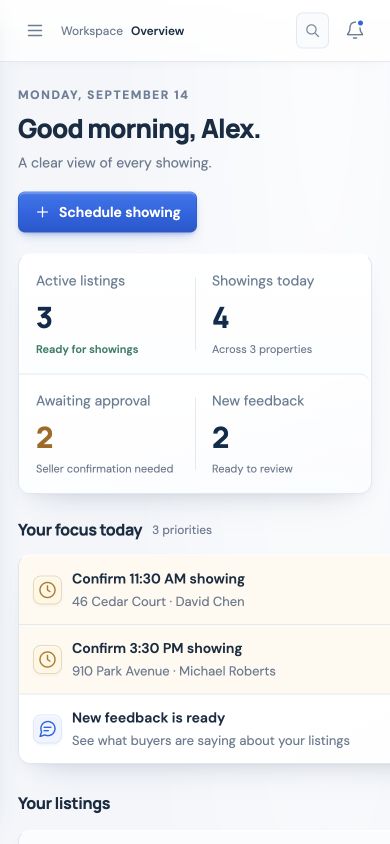
Open a listing, check the next request, or read the latest feedback. Your workspace keeps the property and its showing activity together, on computer or phone.
Connect the property’s Airbnb and Vrbo calendars once. Showing Bell automatically imports guest bookings and blocks those dates from showing requests.
No more copying guest dates by hand.
Guest stays are blocked. Agents can request times on the open days, within your showing rules.
Interactive example. Connected calendars refresh periodically; recent changes may take time to appear.
Scheduling a visit creates more work than choosing a time. Someone needs to maintain the listing’s preferences, understand whether the request is approved, keep access instructions current, and review the response after the showing. The Showing Bell agent app gives the listing agent a place to manage those details.
Start with active listings, upcoming showing activity, and requests that need a response. Return to the app between appointments to review the next visit before opening that property.
Open a listing to work with property details, showing preferences, and its scheduling link. When notice requirements or access arrangements change, return to the listing and keep the setup current.
Review the appointment activity connected with the property. Distinguish a requested visit from a confirmed one, and check the current details when a seller asks about the schedule.
Return to responses after the scheduled showing window to review buyer interest and comments. Read the written detail alongside the reported ratings before preparing your seller update.
Add showing hours, appointment duration, minimum notice, and blackout dates. Choose seller approval, team approval, or automatic confirmation for the listing before you share the link. For an occupied property, plan around the seller’s schedule and any preparation needed before a visit. For a vacant listing, remember that maintenance, cleaning, and contractor appointments can still affect availability.
Write instructions that tell a visiting agent where to arrive, how to enter after approval, what matters during the visit, and how to leave. Keep public property marketing separate from entry details. Use the showing-instructions guide to prepare the listing.
Connect the property’s Airbnb and Vrbo calendars in its setup. Showing Bell automatically imports guest bookings and blocks booked stays from showing availability. Connected calendars maintain routine guest-date blocks; keep your showing hours and any non-booking access arrangements current. Recent changes may take time to appear between feed refreshes. See rental calendar integration.
Showing Bell sends feedback requests after the scheduled showing window, with reminders when a response has not arrived. Responses appear in your dashboard and are emailed to you and your seller. Use them to ask better questions: did several buyers mention the same condition concern? Was a comment about the property, or did an access issue interrupt the showing? An interest response is not a guaranteed offer. Read the feedback guide for practical questions and follow-up examples.
The Showing Bell app for iPhone is on the App Store. Requests for your listings arrive on Today, you approve, deny, or move them with a tap, and lockbox codes stay hidden until you choose to show them. Set up listing details at your desk in a browser, then carry the day’s showings in your pocket. On Android, use the same workspace in your browser today; an Android app is on the way. The seller’s response link and the visiting agent’s scheduling link stay focused on their part of the process; your agent app brings the management work together behind them. Already have an account? Log in to Showing Bell or get the iPhone app.
Different people use different parts of the showing process. Here is how they fit together.
Yes. The Showing Bell app for iPhone is on the App Store. Sign in with your Showing Bell account to answer showing requests, manage listings, and read feedback. The same workspace runs in a browser on a computer or an Android phone, and an Android app is on the way.
Yes. Connect the property’s Airbnb and Vrbo calendars. Showing Bell automatically imports guest bookings and blocks those dates from showing availability. Recent changes may take time to appear between refreshes.
No. The seller can approve or decline from a text or email. They do not need to download the agent app or create an account to respond.
Yes. The agent app is your signed-in workspace. The property link is the simple way for visiting agents and direct buyers to request a showing.
Yes. Every account includes the full feature set. You pay $9.99 a month for your first active listing and $2.99 for each one after.
Yes. Showing Bell supports occupied and vacant homes, new construction, land, commercial property, rentals, and off-market listings. Set the access preferences and instructions for the particular property. See the workflows for land and short-term rentals.
Start with one property and a 30-day free trial.